Scheduled Tasks and Point Description
Scheduled Tasks
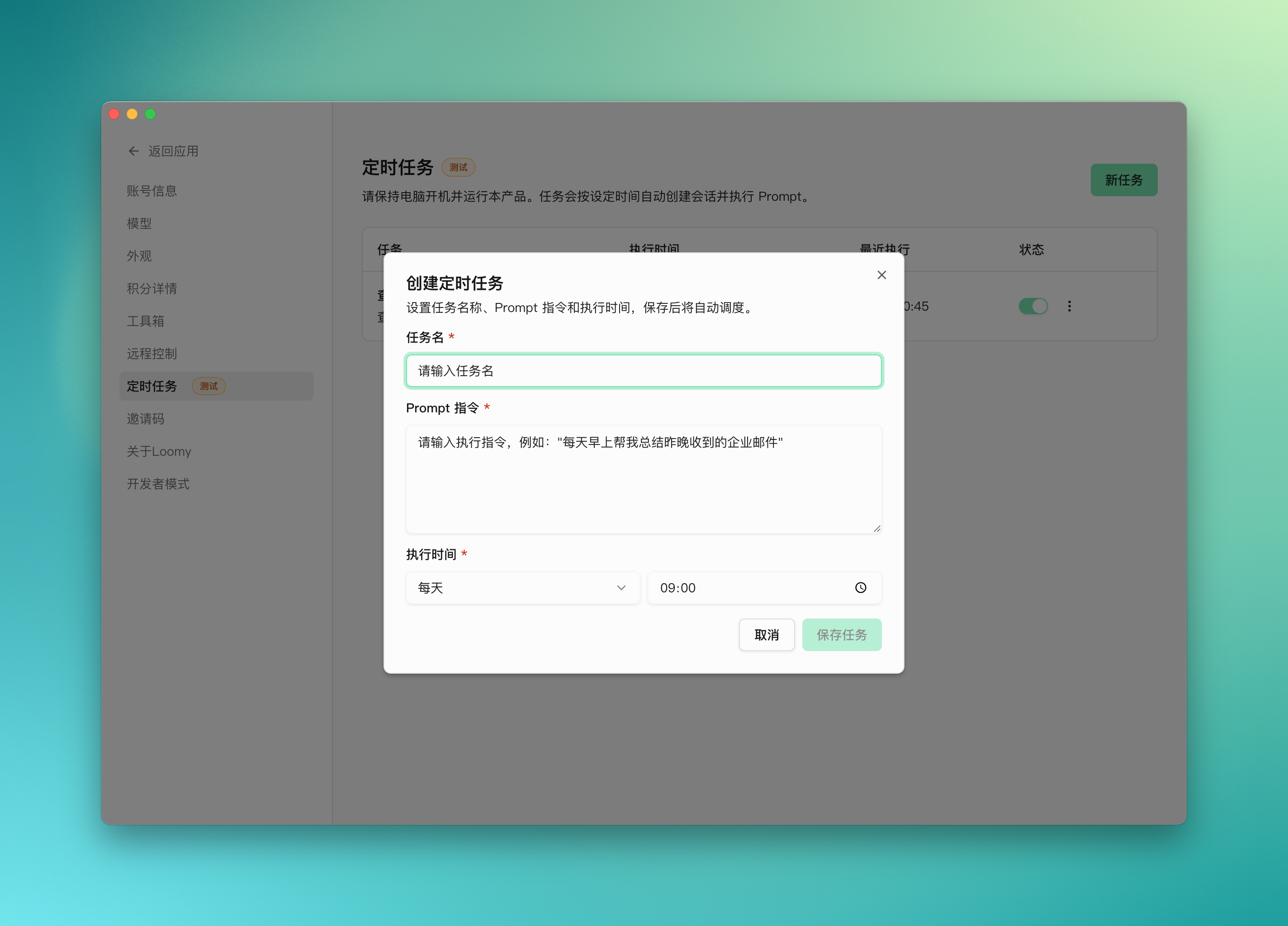
Scheduled tasks allow Loomy to automatically execute fixed processes at specified times, helping you hand over repetitive work to AI for continuous processing.
Running Prerequisites For scheduled tasks to execute normally, Loomy must be running in the background. If the application is completely closed, the process is force-killed by the system, or related background capabilities are turned off, scheduled tasks will not be triggered as planned.
What tasks are suitable
Scheduled tasks are particularly suitable for jobs that need to be done "every day", "every week", or require "fixed-time reminders", such as:
- Regularly organize email summaries
- Periodically generate daily or weekly reports
- Check task status at fixed times
- Trigger content organization or information collection at specific times
Basic Capabilities
Through scheduled tasks, you can define the execution content and trigger time in advance, allowing Loomy to run automatically when conditions are met, without you needing to issue commands manually every time.
A complete scheduled task usually includes:
- Task name
- Trigger time or execution cycle
- Execution command or Prompt
- Dependent tools and permissions
- How to view execution results
To make these tasks trigger on time, besides ensuring the task configuration itself is correct, you also need to ensure that Loomy continuously runs in the background on the device.
Usage Suggestions
To make scheduled tasks more stable, it is recommended to write the task description as clearly as possible when creating, especially:
- What you want Loomy to do
- Where to output the results
- Whether it needs to depend on a specific tool
- How you expect it to handle errors
Creation Suggestion: If a task involves multi-step operations or external tool calls, it is recommended to run it manually once before setting it as a scheduled task to reduce the probability of deviation during automatic execution.
Frequently Asked Questions
Are scheduled tasks suitable for processing complex processes? Yes, but the premise is that the process is clear enough, and permissions and tools have been configured. The more explicit the task, the more stable the automatic execution effect usually is.
What should I do if a scheduled task fails? It is recommended to first check the task description, trigger conditions, model configuration, and tool authorization status. Many failures come from incomplete configuration of dependencies or insufficiently specific task descriptions.
Why did it not automatically execute when the time came? The most common reason is that Loomy is not continuously running in the background, or related permissions and tool dependencies are not fully prepared. It is recommended to prioritize confirming the application status, and then check the task configuration and execution conditions.
Point System
Points are used to support Loomy's default model services and related core capability calls. When you use chat, task execution, or other related capabilities, the system will consume points according to the corresponding rules.
What are points used for
Points are mainly used to support Loomy's resource consumption during task execution, including but not limited to default model calls, task processing, and the use of some high-value capabilities.
Are points deducted when using custom models? If you configure and use your own AI model service provider API Key in Loomy, related model calls usually will not consume Loomy points. That is to say:
- When using the default model service provided by Loomy, points will be consumed according to corresponding rules
- When using your own configured model service provider, the model call itself will not deduct Loomy points
Whether it involves the consumption of other capabilities is subject to the current rules and actual function descriptions within the product.
API Key Security Instructions The API Key you configure yourself will only be saved on your local device. Loomy will not host, upload, or leak this key information. Keep your keys safe: API Keys are sensitive information. Do not share them casually, and do not save or transmit them in untrusted environments. If a key is leaked, a third party may misuse your model service quota or access capabilities.
How to get points
You can get points in the following ways:
- Apply to join the Waiting List and pass the review
- Share with your friends. After your friend joins through your share, you and your friend will each receive
5000points - Participate in official events or internal testing
- Obtain through point package top-up, please refer to the actual display information on the corresponding page for specific prices and point package contents
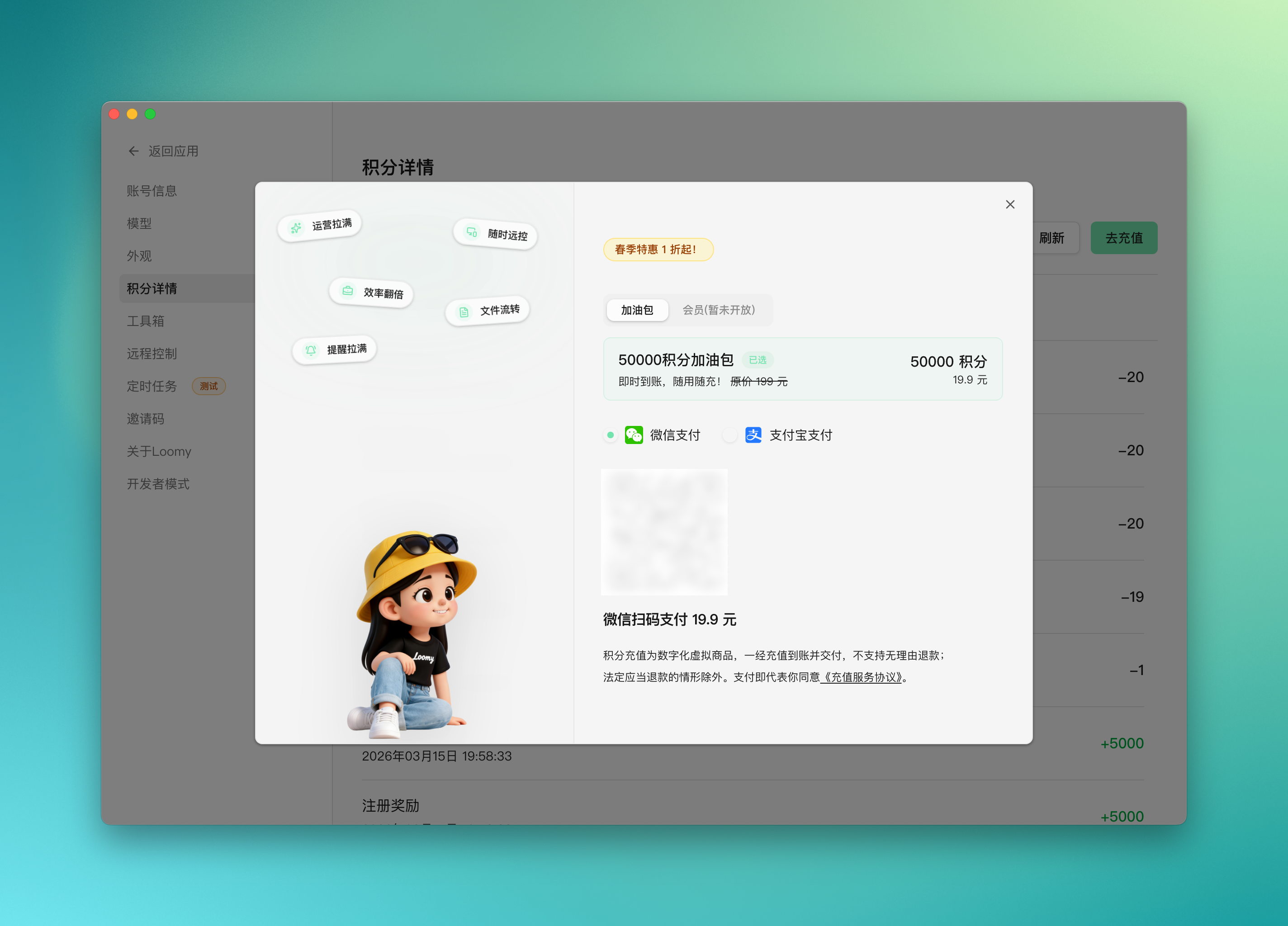
The specific distribution methods and rules are subject to the information currently displayed in the product.
How to check points
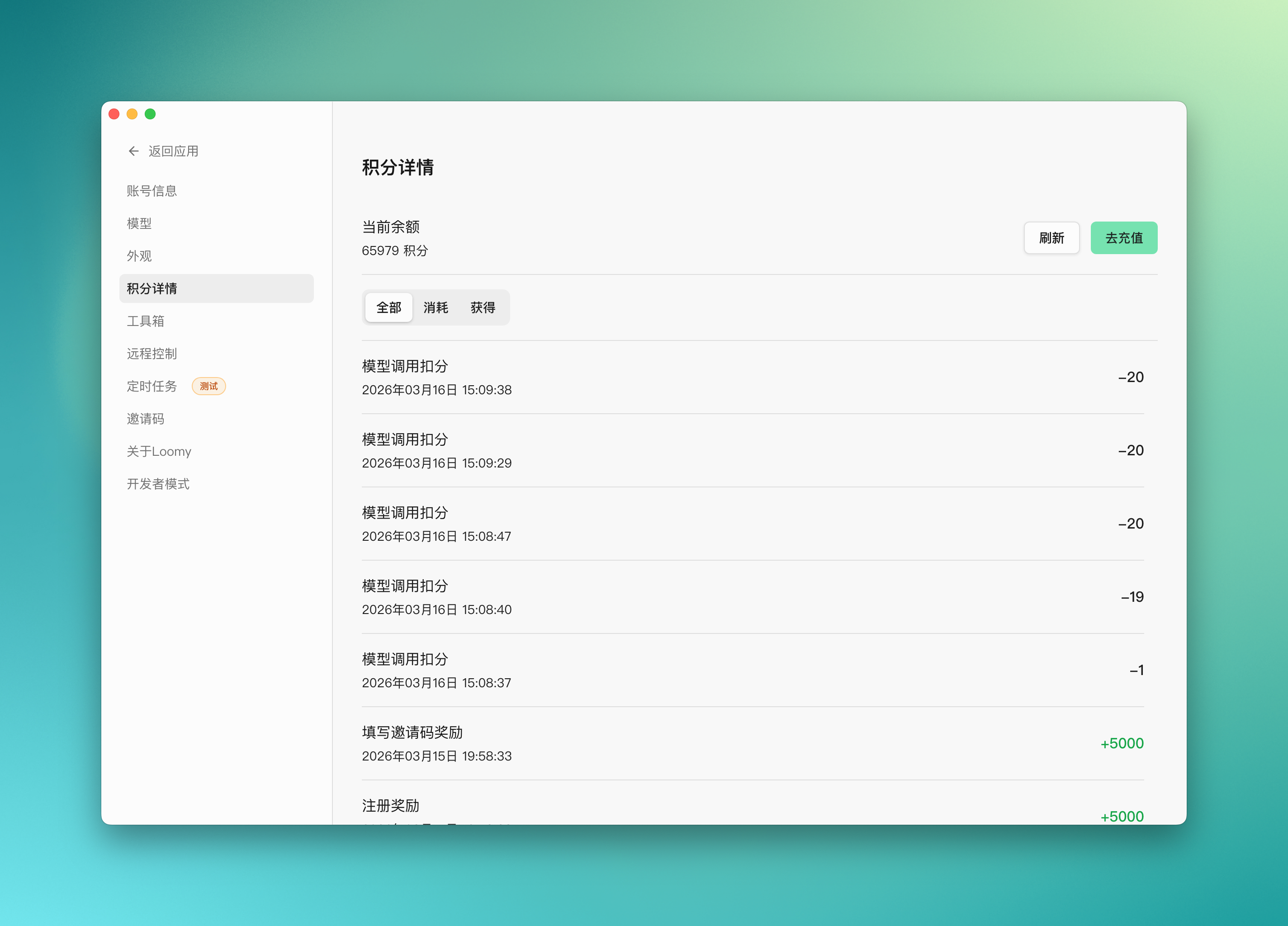
You can check your current point balance and historical change records in the Loomy client. Common viewable information includes:
- Current remaining points
- Time of acquisition
- Method of acquisition
- Consumption records
What can 5000 points do
5000 points can usually support a batch of common office tasks. For general-intensity office scenarios, it can execute about 50 tasks.
For example, a relatively complete office task link might include:
- Search and organize various types of information around the theme of "Project Initiation" through a search engine
- Summarize search results into a report and save it locally
- Write an email based on the report to apply for a project budget from leaders
- Subsequently, have about
10email exchanges with leaders regarding project details
For tasks like this, 5000 points can usually support about 50 times. The specific number will be affected by factors such as task length, context complexity, number of model calls, and whether external tools are linked.
Usage Suggestions
If your task belongs to a complex process with multiple rounds, long duration, and cross-tools, it will usually consume more points than ordinary single-round conversations. It is recommended to confirm the task objectives and process before execution to avoid invalid consumption. If you already have a stable and usable model service, you can also consider configuring your API Key yourself to reduce the point consumption brought by Loomy's default model service in some scenarios.
Frequently Asked Questions
Under what circumstances will points be consumed faster? Usually, in multi-step tasks, long context tasks, frequent model calls, or linking multiple tools, point consumption will be more obvious.
Can I view historical point records? Yes. Loomy provides a point balance and related change records, making it easy for you to understand the acquisition and consumption of points.
Will using my own API Key deduct points? No. When you use your own configured AI model service provider API Key, related model calls will not deduct Loomy points, but please refer to current product rules and function descriptions.