Typical Scenarios
Loomy is suitable for work scenarios that require frequent switching between information organization, content creation, task execution, and cross-tool collaboration, especially for individual workers, small teams, and high-frequency office users.
Here are a few typical landing scenarios for Loomy:
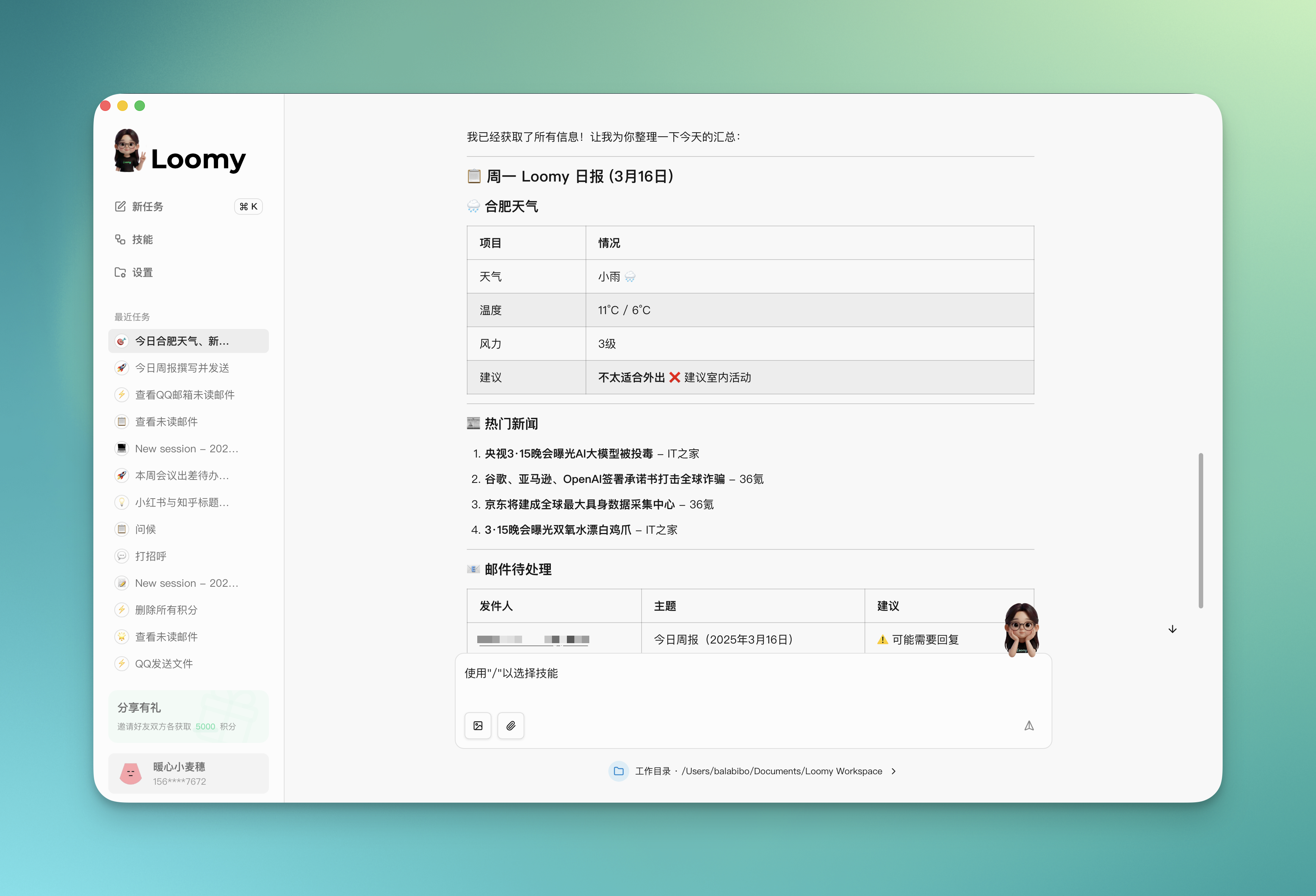
1. Morning Smart Broadcast
Want to quickly know today's important information? Loomy can help you integrate weather, emails, schedules, and hot news to generate an exclusive morning broadcast, allowing you to calmly start a new day.
Usage Scenario
Today is Monday, help me see if the weather in Hefei is suitable for going out today, if there is any interesting news, if there is anything in the mailbox that needs to be replied to, and make a card for me
Loomy will help you:
- Weather Broadcast: Query real-time weather, analyze whether it is suitable for outdoor activities, and smartly recommend outfit suggestions
- News Summary: Select the hot spots and interesting news of the day, master key information in 3 minutes
- Email Quick View: Scan unread emails, mark important emails and pending replies
- Card Generation: Integrate all information into an exquisite morning broadcast card
2. Learning Progress Management
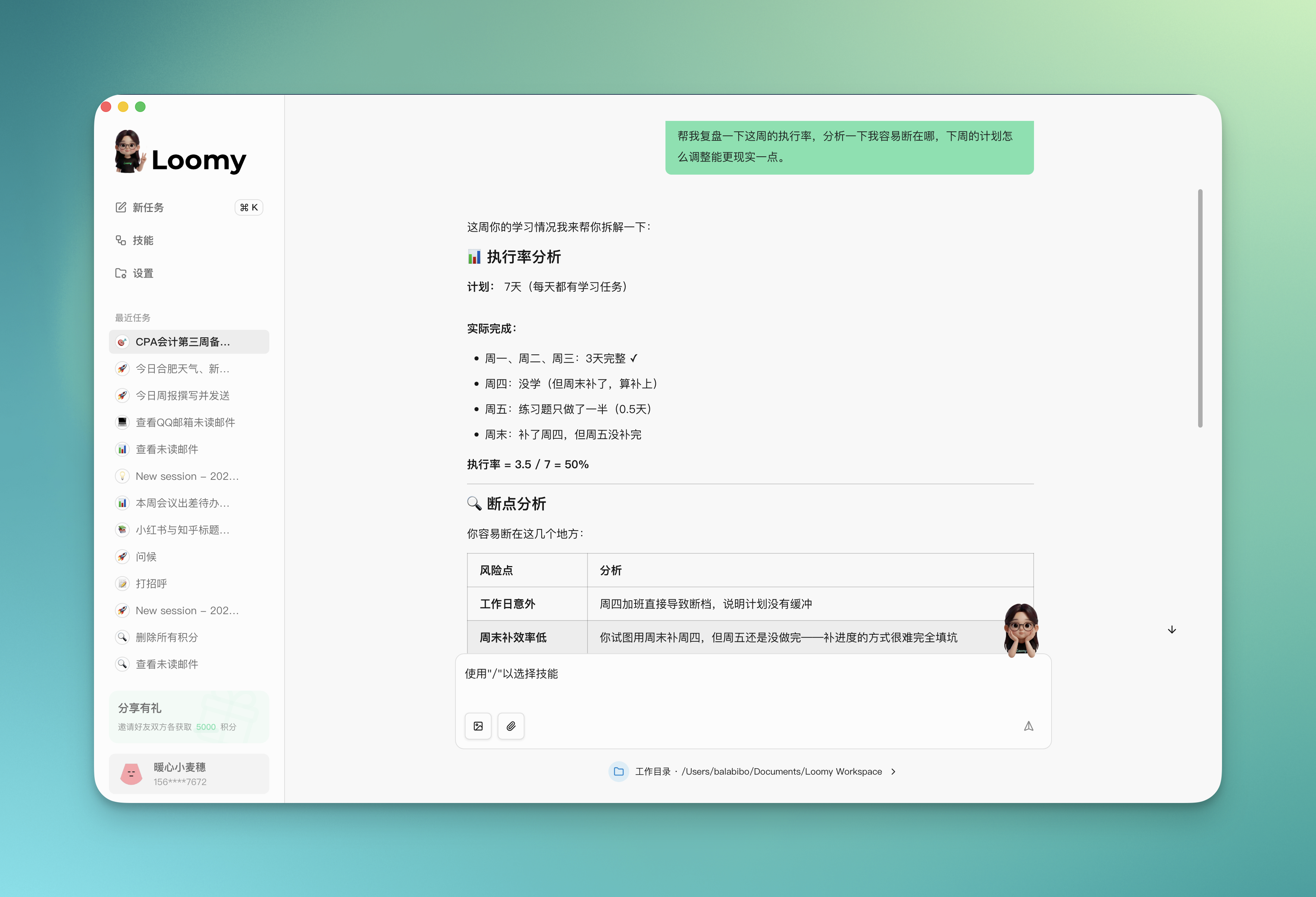
Need to review your learning progress? Loomy can help you analyze the execution situation, find out the problem, and give more realistic adjustment suggestions.
Usage Scenario
This week is my third week preparing for the CPA accounting subject, and the completion situation is like this:
Monday to Wednesday: Studied the financial assets chapter as planned Thursday: Worked overtime and didn't study Friday: Only did half of the exercises Weekend: Made up for Thursday's progress, but Friday's questions are still not done
Help me review the execution rate this week, analyze where I easily break off, and how to adjust next week's plan to be more realistic.
Loomy will do for you:
- Execution Rate Analysis: Calculate this week's completion degree, identify the gap between plan and reality
- Breakpoint Diagnosis: Analyze time nodes and reasons for easy interruption of learning
- Plan Optimization: Based on actual conditions, adjust the rhythm and task volume of next week's plan
- Reminder Suggestions: Give reminder suggestions at key time points to maintain learning continuity
3. Content Creation and Operation
From topic planning to content publishing, and then to data review, Loomy strings together topics, hotspot analysis, content creation, and distribution, allowing self-media creation to enter the output state faster.
Usage Scenario
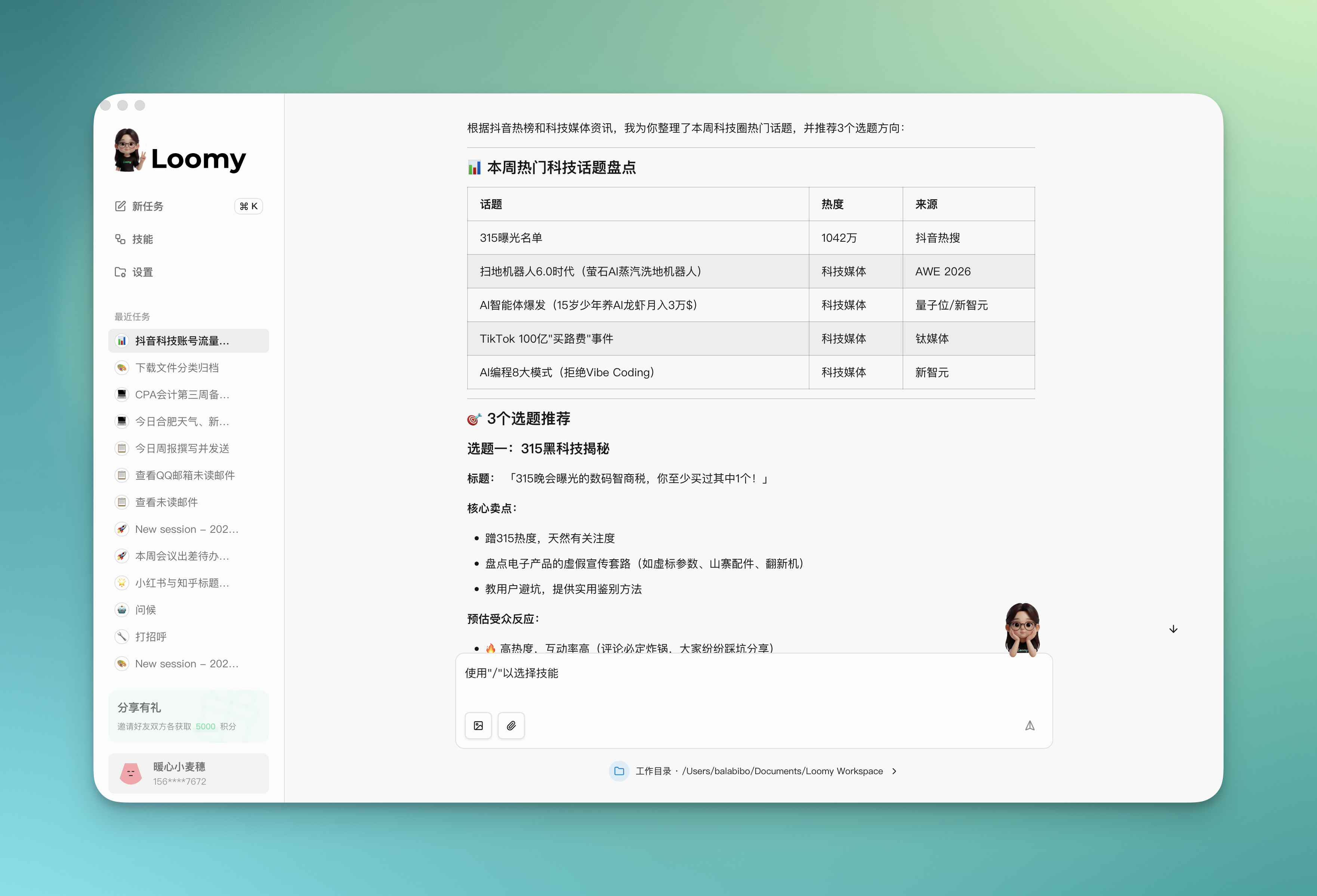
I operate a Douyin account positioned on tech and digital reviews. Recently the traffic has dropped a bit, help me analyze what hot topics are in the tech circle this week, recommend 3 topic directions for me, and give the title, core selling point, and estimated audience reaction for each direction.
Loomy will help you:
- Hotspot Tracking: Crawl hot topics in the circle in real-time, analyze discussion heat and trend directions
- Topic Recommendation: Combine account positioning to recommend high-potential topic directions
- First Draft Generation: After selecting a topic, quickly generate video scripts or image-text first drafts
4. Intelligent Document Management
Loomy opens up file organization, knowledge precipitation, and content output links, turning fragmented work into a reusable efficient process.
Usage Scenario
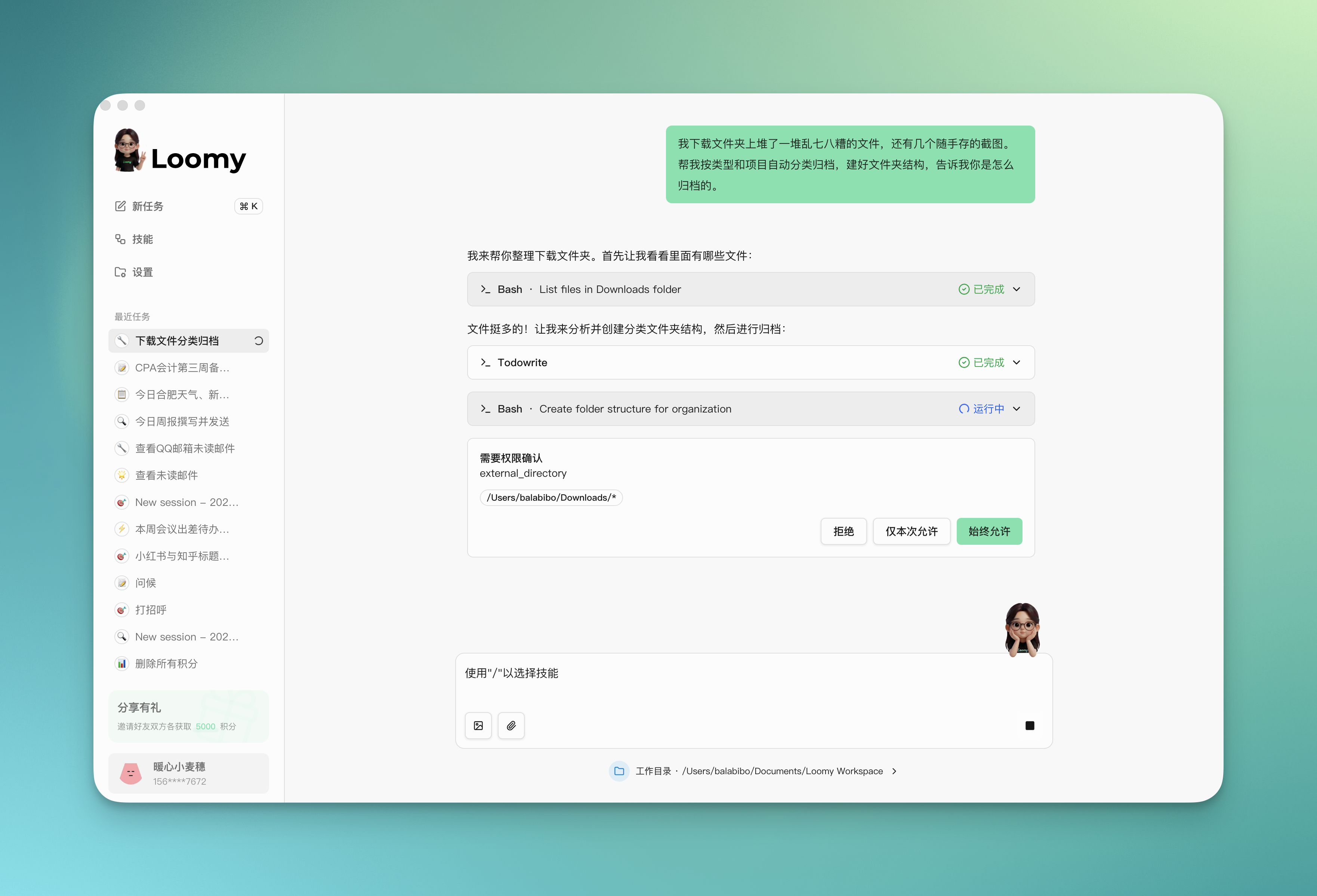
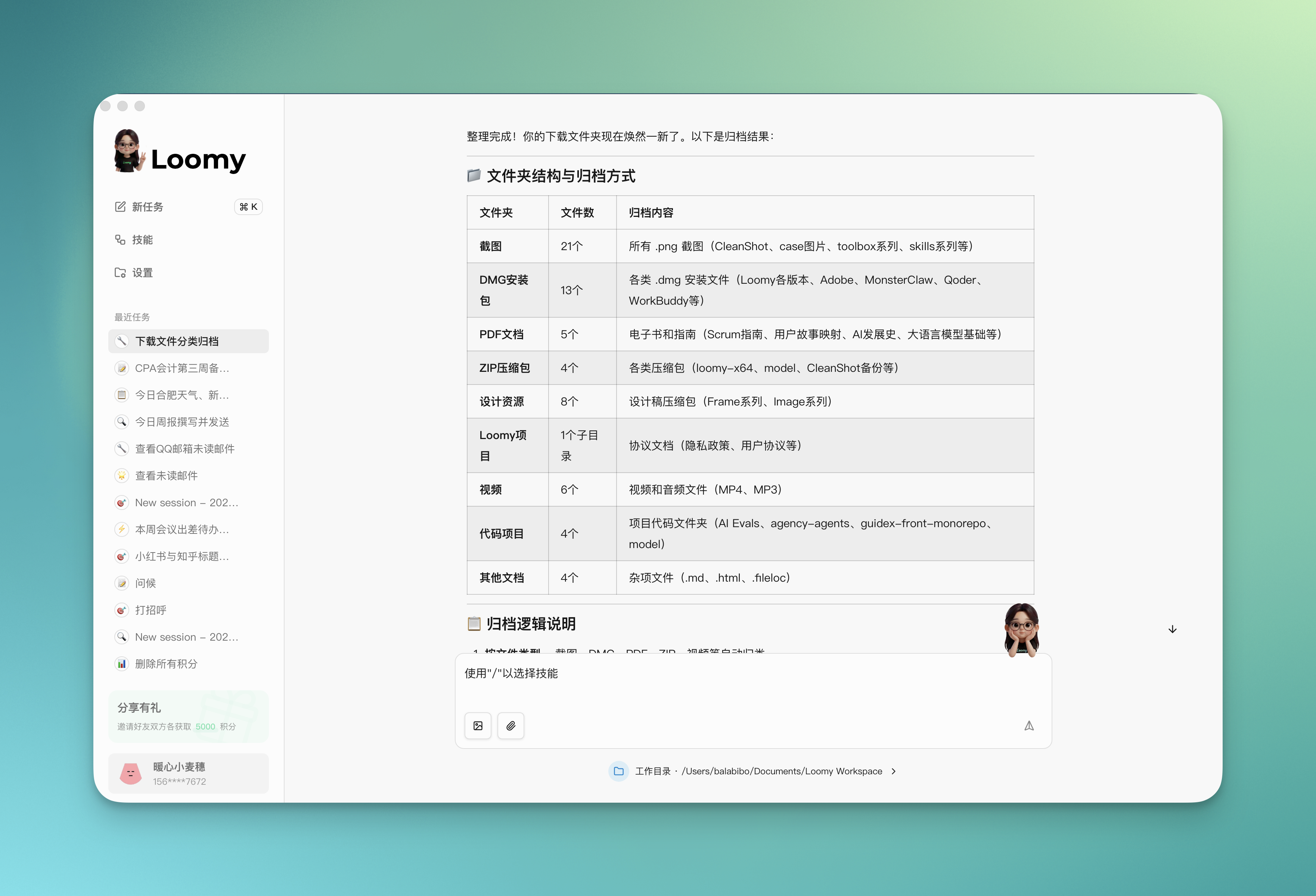
I have a pile of messy files piled up in my download folder, and a few screenshots saved casually. Help me automatically classify and archive by type and project, set up the folder structure, and tell me how you archived them.
Loomy will do for you:
- Intelligent Recognition: Recognize file types (documents, images, tables, PDFs, etc.)
- Structured Archiving: Create clear folder hierarchies, automatically archive by "Project/Type/Date"
- Archiving Report: Generate archiving instructions to tell you where each file was placed, convenient for subsequent lookup
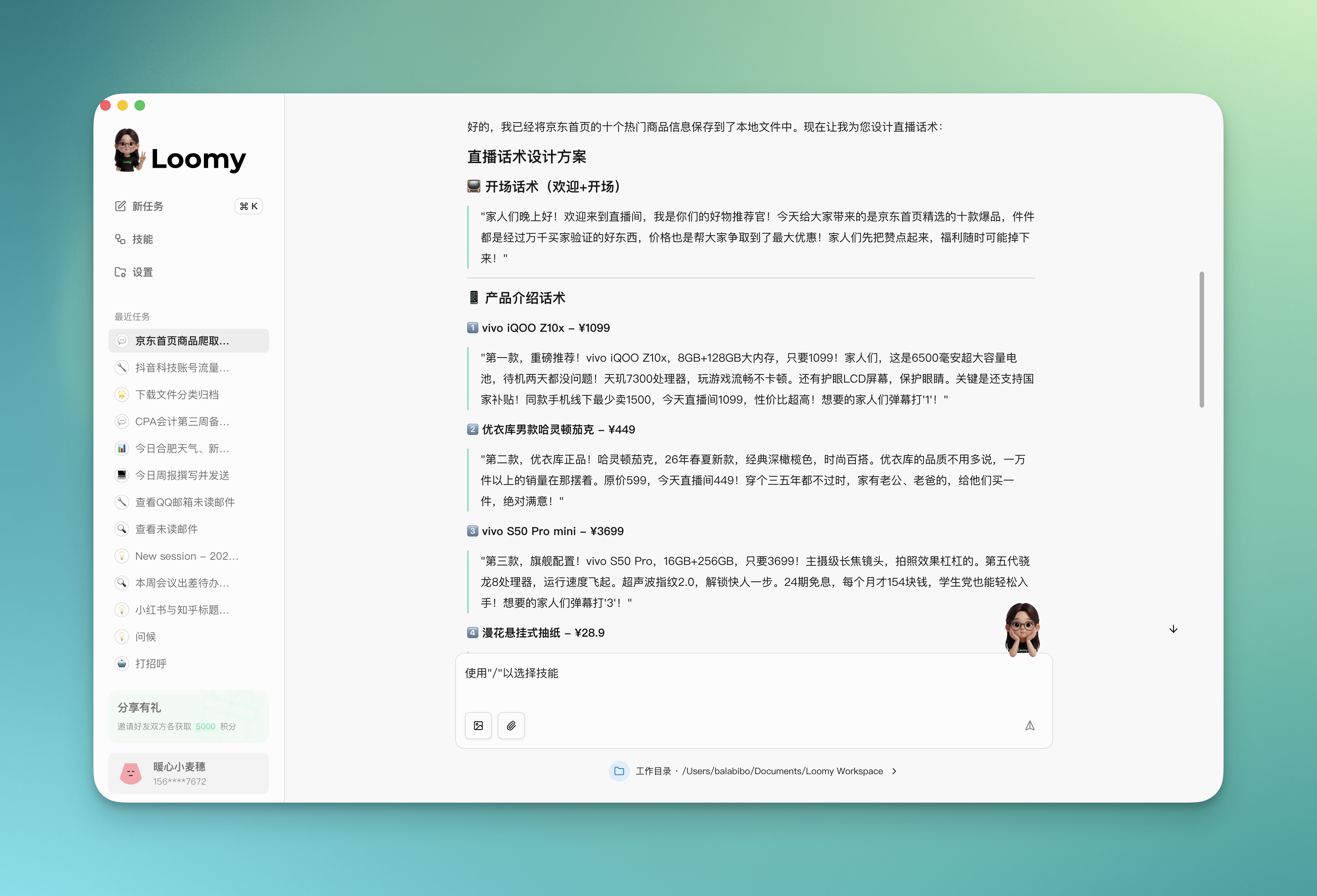
5. E-commerce Live Broadcast Assistant
Loomy helps e-commerce practitioners quickly get product information, analyze market data, and generate professional live broadcast scripts and marketing copy.
Usage Scenario
Open JD.com, save the top ten products on the homepage, as well as their design copy, order sales, and other information locally. Suppose I am going to promote these ten products in a live broadcast now, how should I design the live broadcast script?
Loomy will help you:
- Product Information Crawling: Extract detailed information of the top ten products on the product page
- Selling Point Extraction: Analyze product advantages, extract core selling points, highlight cost-effectiveness and user pain points
- Script Generation: Based on product features and sales data, generate attractive live broadcast scripts for each product