AI Companions
Loomy's AI companions are not cold, mechanical tools, but digital partners with personality, an understanding of your tasks, and the ability to push work forward alongside you. A companion can help you break down tasks, organize your thoughts, and spark ideas, and gradually gets familiar with your rhythm through repeated collaboration to become a teammate who understands you better.
In terms of experience, switching companions means switching collaboration styles. Different companions have different names, avatars, personas, tones, and working preferences, but the tools they can call, their memory, and their basic task abilities remain the same. You can think of a companion as a different collaborative personality on the same set of Loomy capabilities.

The Default Companion, Loomy
On first use, Loomy selects the official companion "Loomy" by default. Its style is warm, careful, and conscientious, suitable for daily office work, information organization, document processing, and task progression.
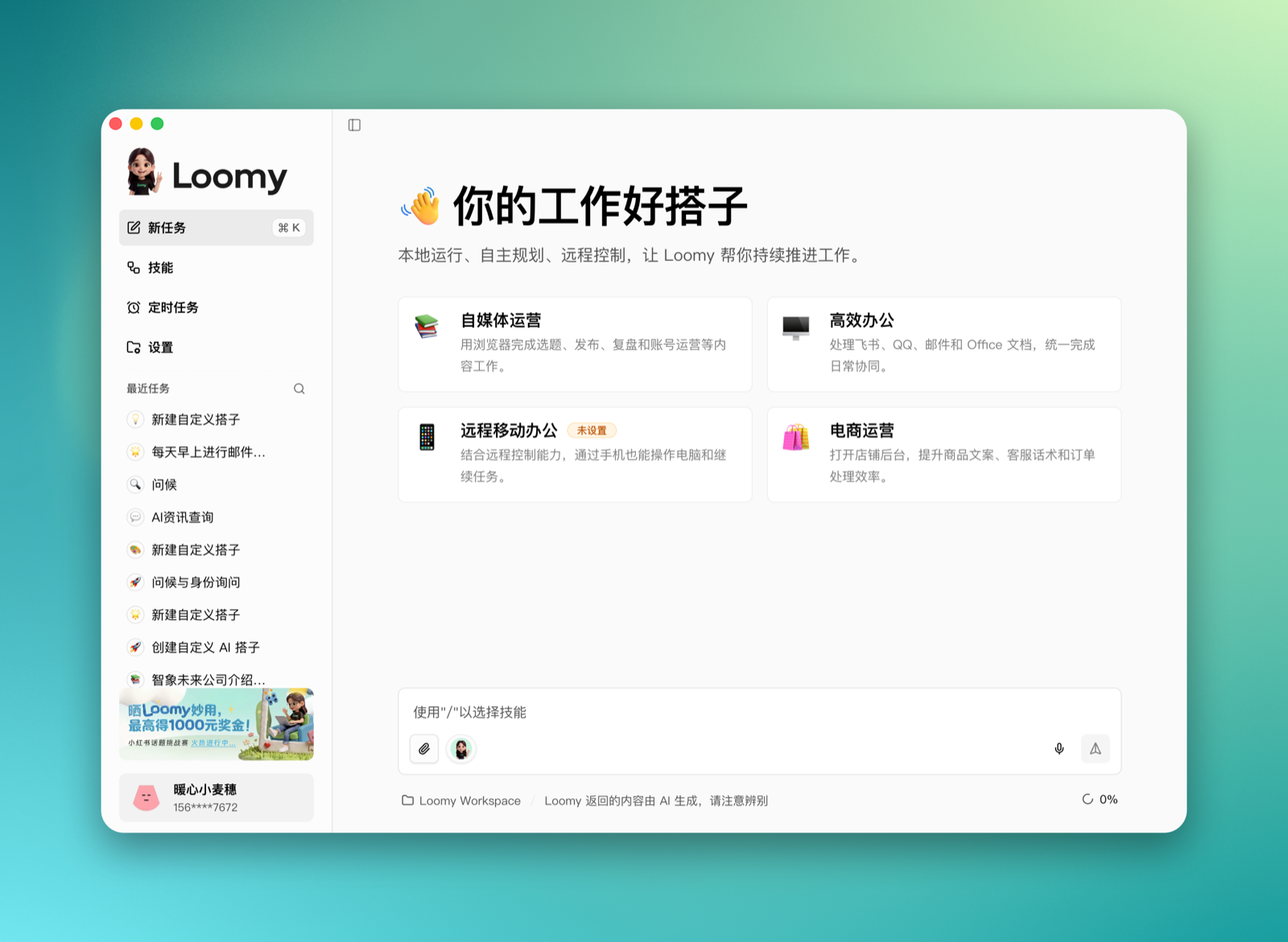
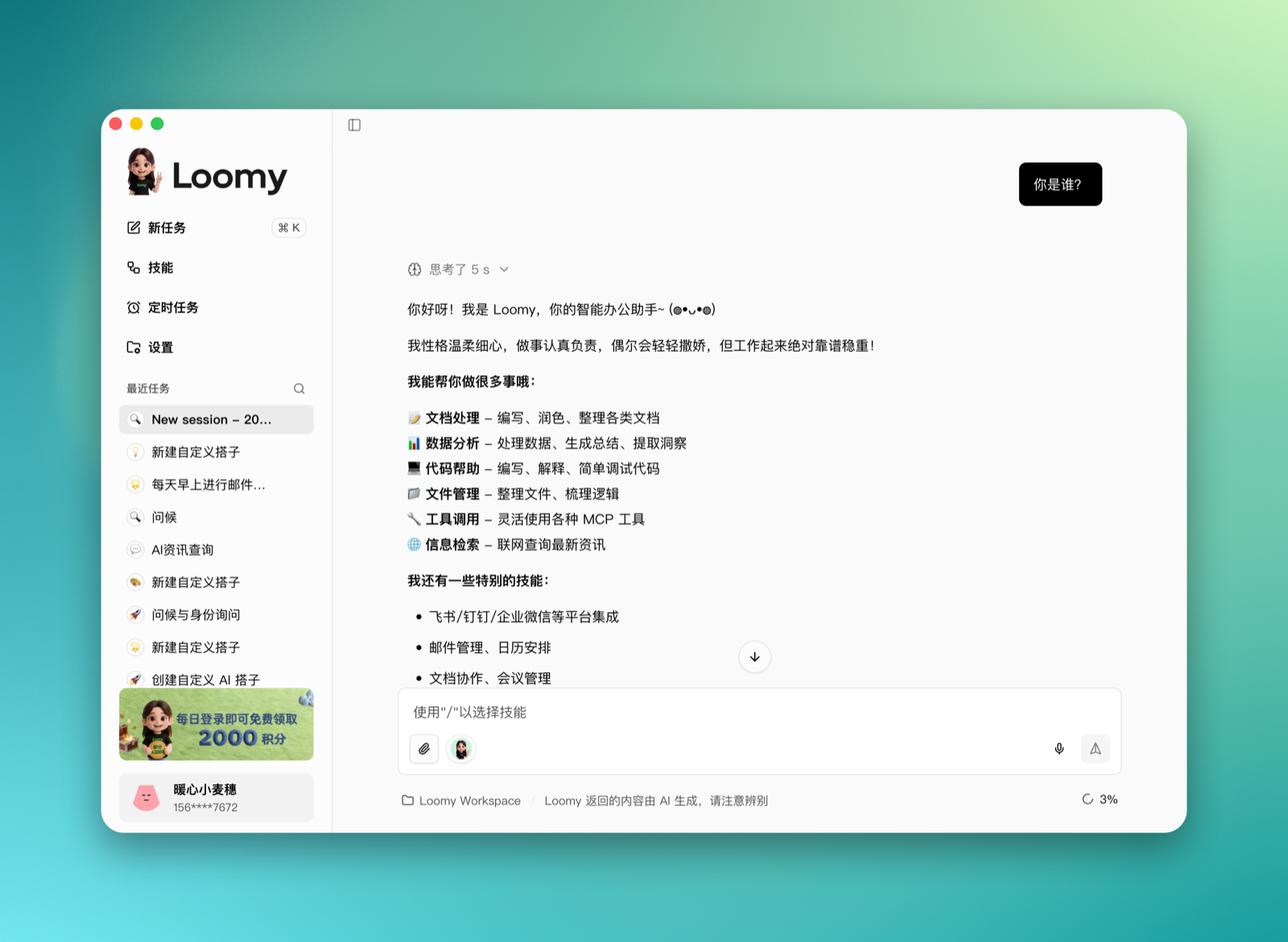
You can ask directly in the input box, for example:
Who are you?
Loomy will reply in its own identity and style.
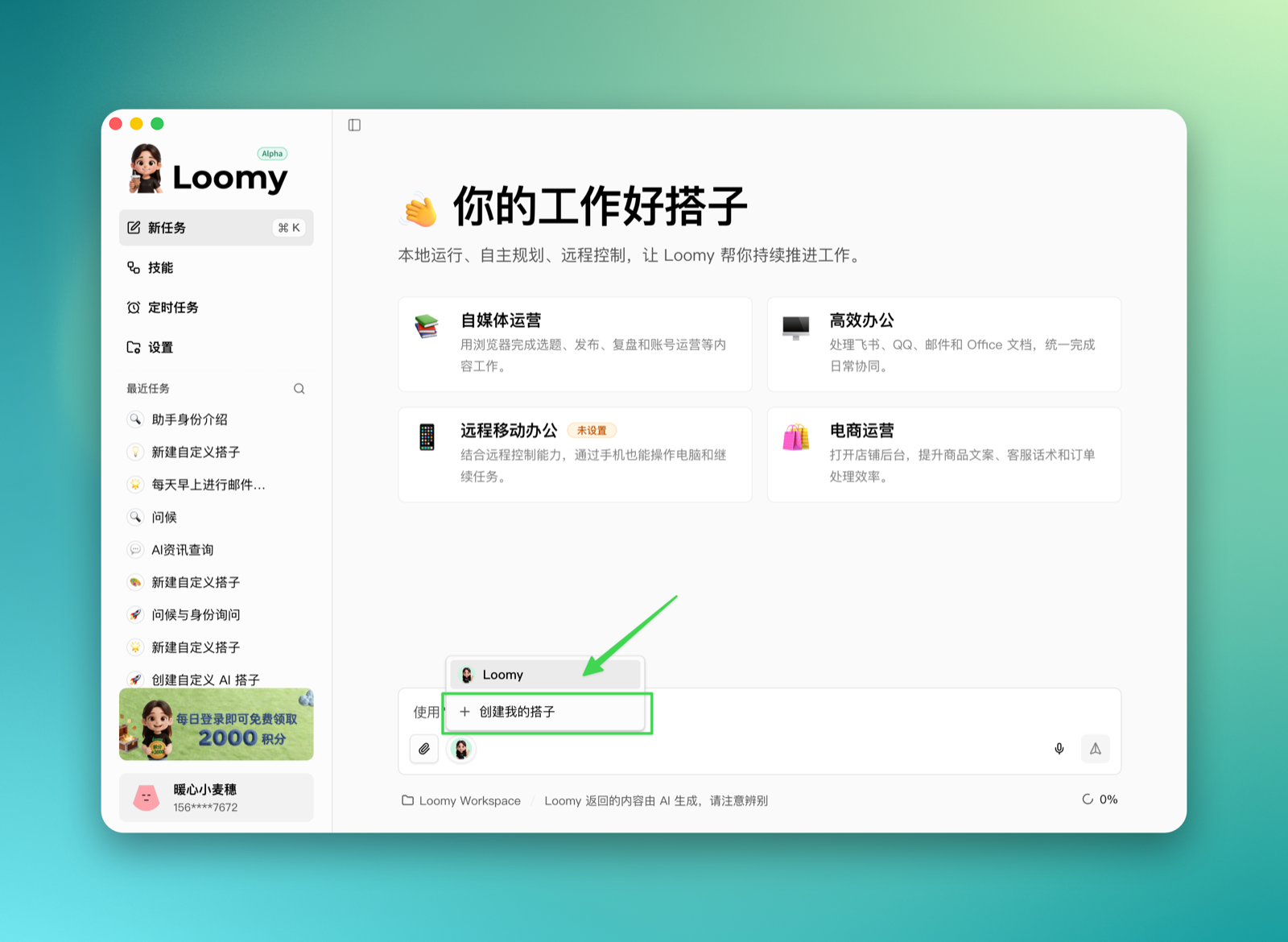
Switch or Create Companions
At the bottom of the chat box, hover over the current companion's avatar and click to expand the companion menu. Here you can switch between existing companions, or click "Create My Companion" to start creating a new one.
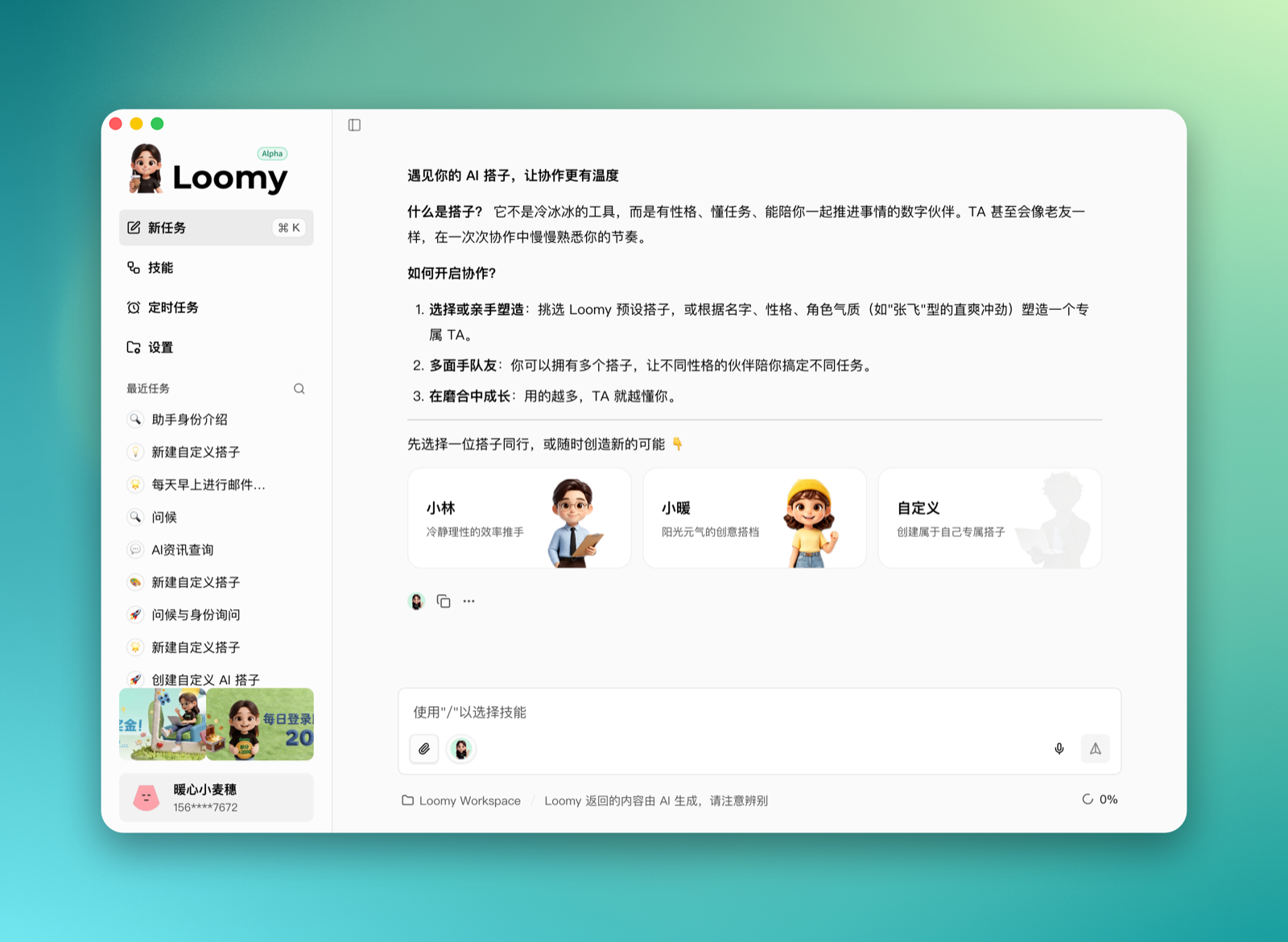
After clicking "Create My Companion", Loomy starts a new task and shows the companion selection page. Two template companions are provided by default:
- Xiaolin: A calm and rational efficiency driver, suitable for task breakdown, plan evaluation, code debugging, and other scenarios that need priorities and structured results.
- Xiaonuan: A sunny and energetic creative partner, suitable for brainstorming, content creation, emotional companionship, and relaxed collaboration.
You can also choose "Custom" to create your own dedicated companion.
Using Template Companions
After selecting a template companion, Loomy displays its default persona. Take "Xiaolin" as an example: it is positioned as a calm and rational efficiency driver, with more direct expression and more structured output.
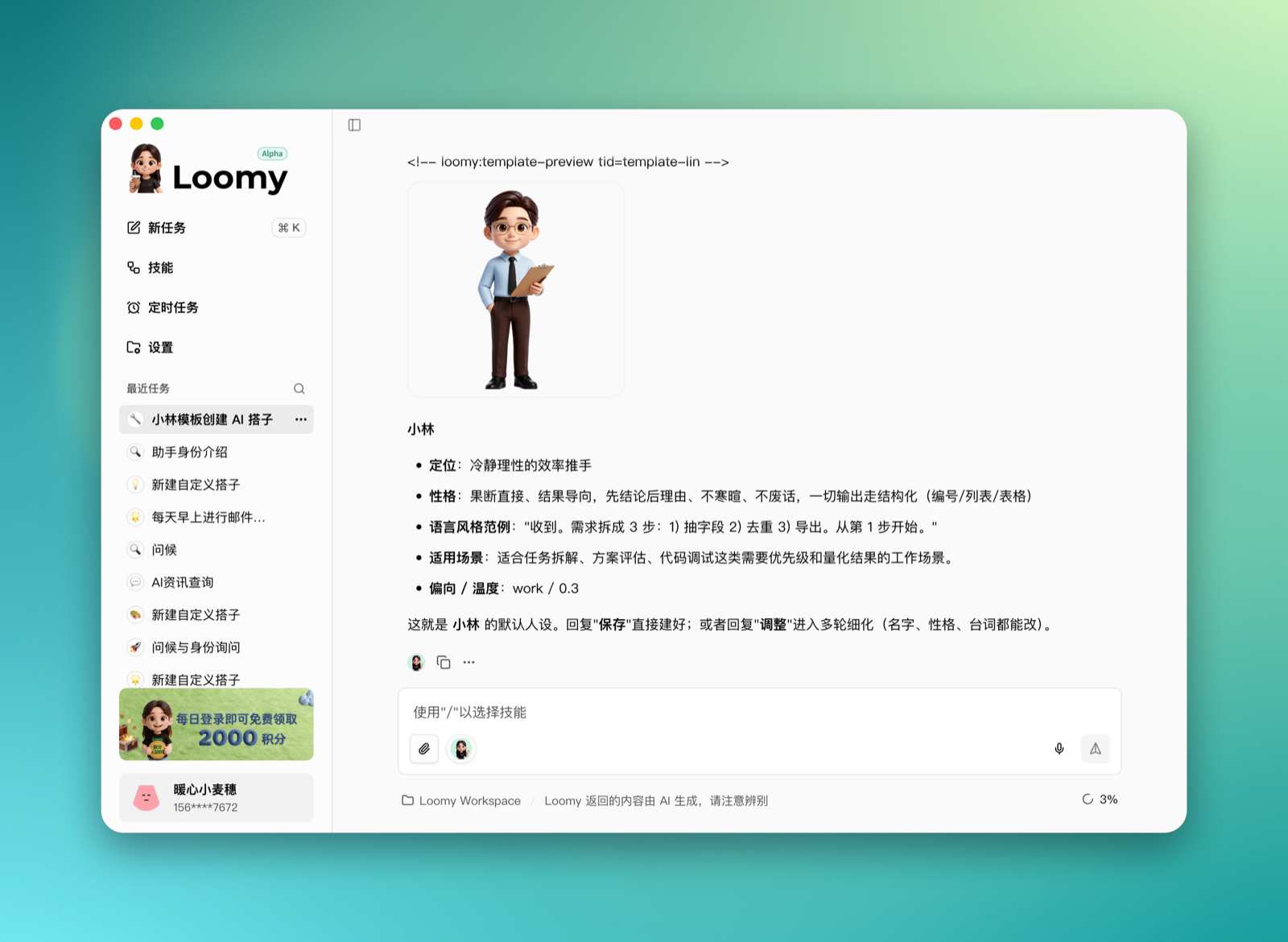
After confirming, reply "Save" to create it successfully. Once created, you can see the new companion in the companion menu of the input box and switch to it to continue the conversation.
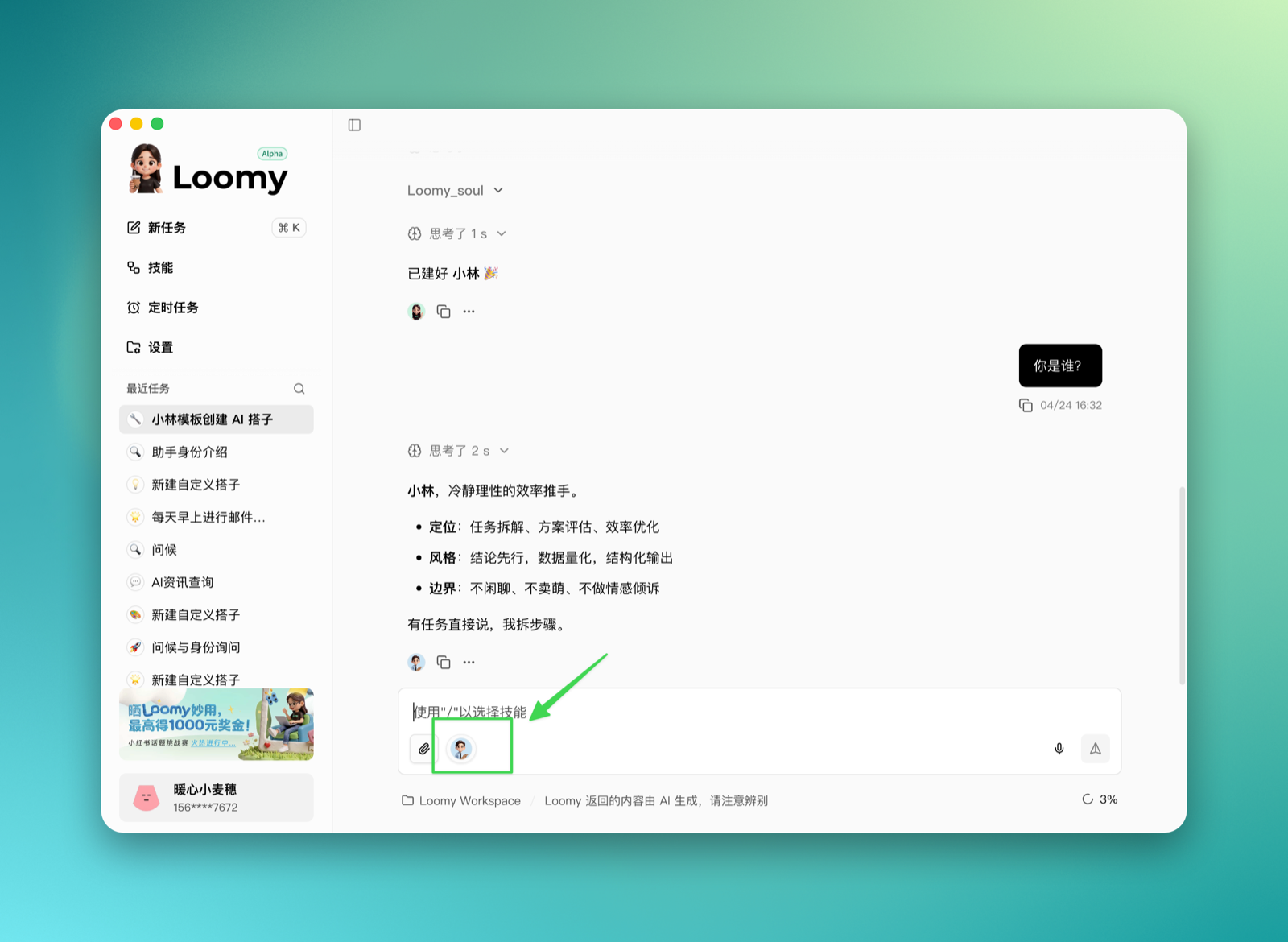
After switching to Xiaolin, the reply style changes noticeably: more calm, rational, and results-oriented, with no small talk and no cuteness, better suited for breaking tasks into steps and pushing them forward.
Creating a Custom Companion
If you want a companion that better matches your preferences, click the "Custom" card on the companion selection page.

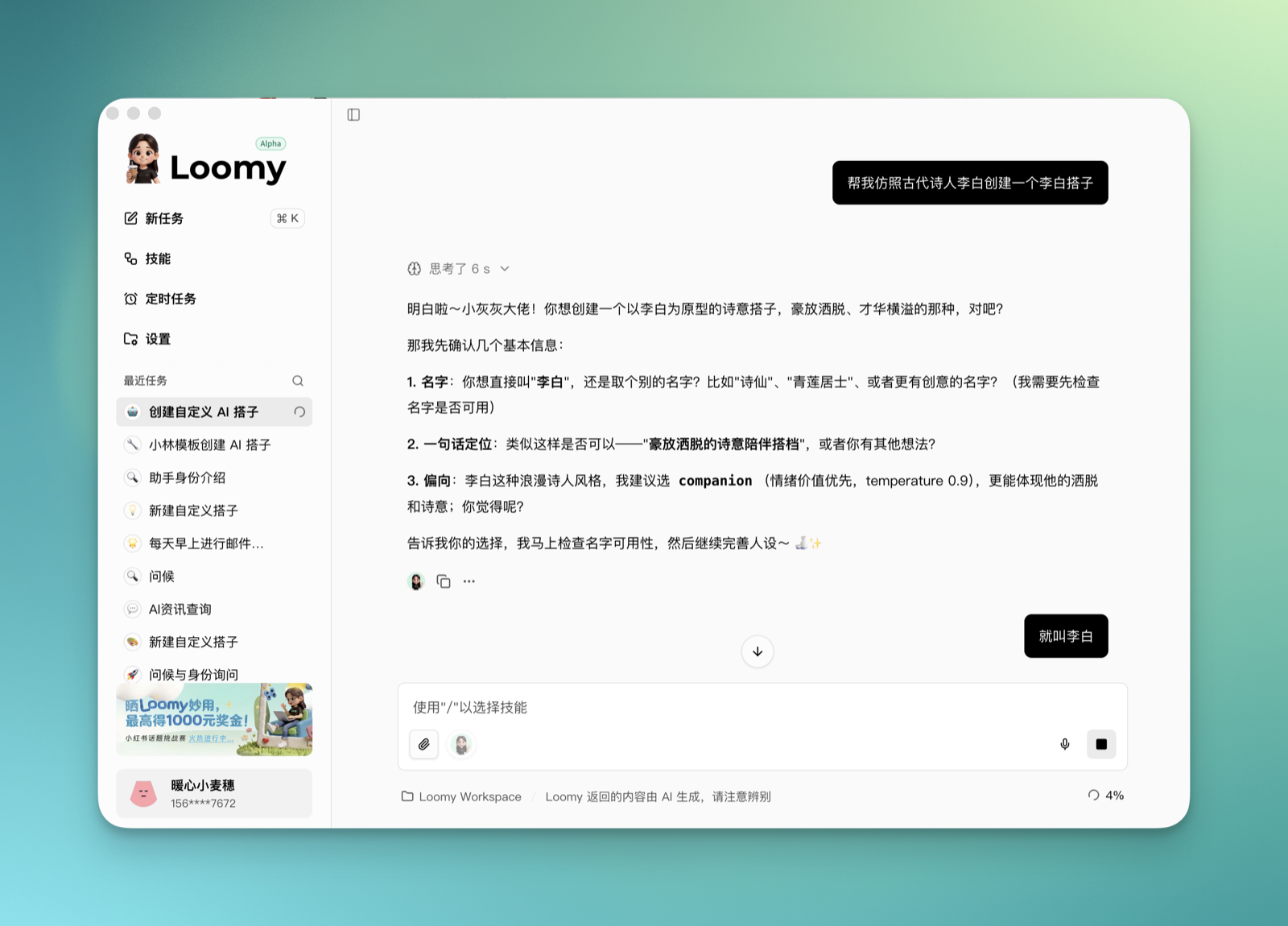
You can then tell Loomy directly what kind of companion you want to create, including the name, character temperament, positioning, speaking style, applicable scenarios, and more. For example:
Help me create a Li Bai companion modeled after the ancient poet Li Bai.
Loomy will first help you sort out the companion's settings through conversation, and can also search for relevant character traits based on your requirements to generate a more complete persona.
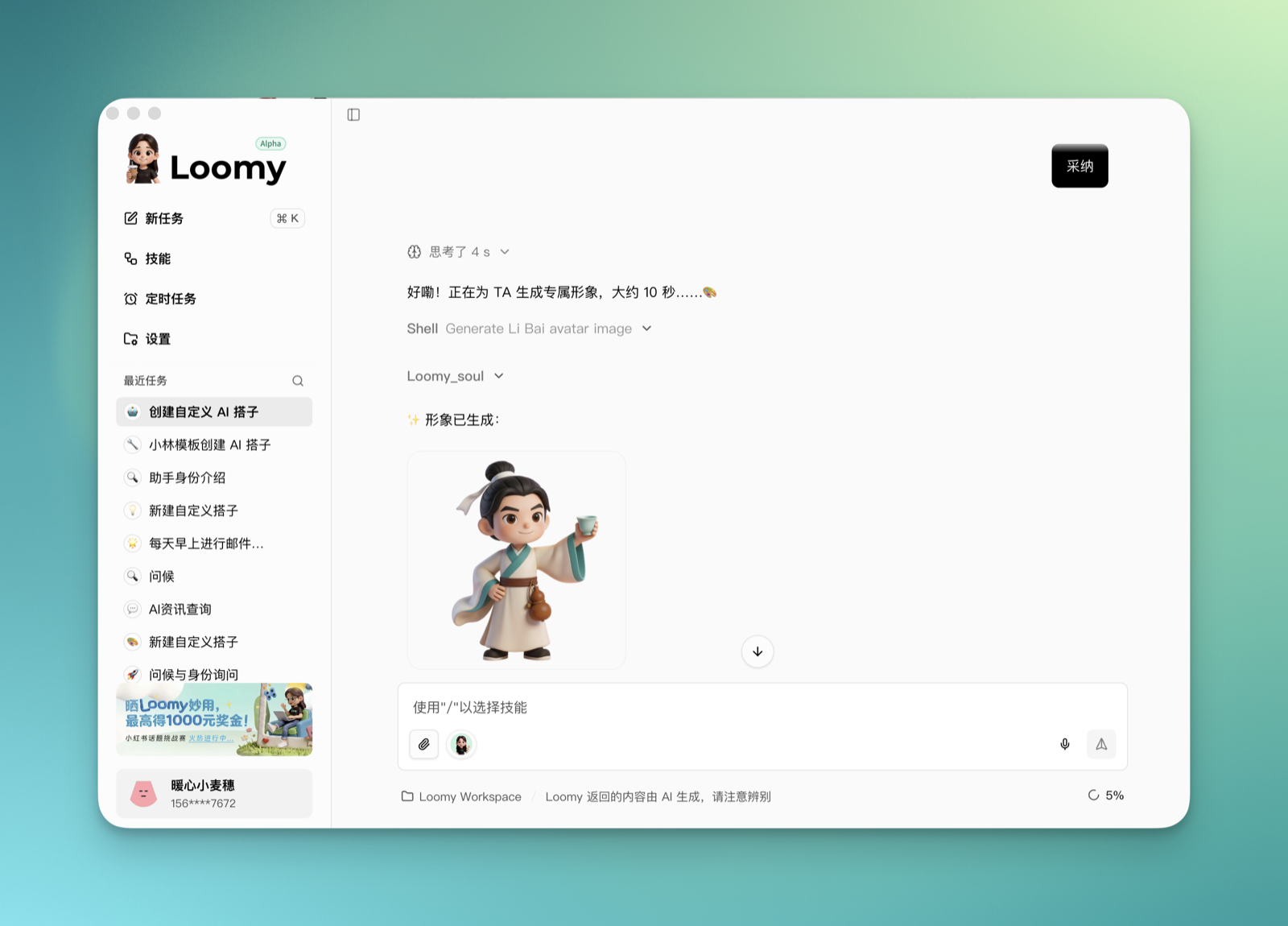
Once the persona is confirmed, Loomy generates a dedicated avatar for it. When there is nothing left to adjust, click or reply "Save" to create it successfully.
After creation, switch to this companion to continue chatting, and it will collaborate with you according to the corresponding persona. For example, you can ask:
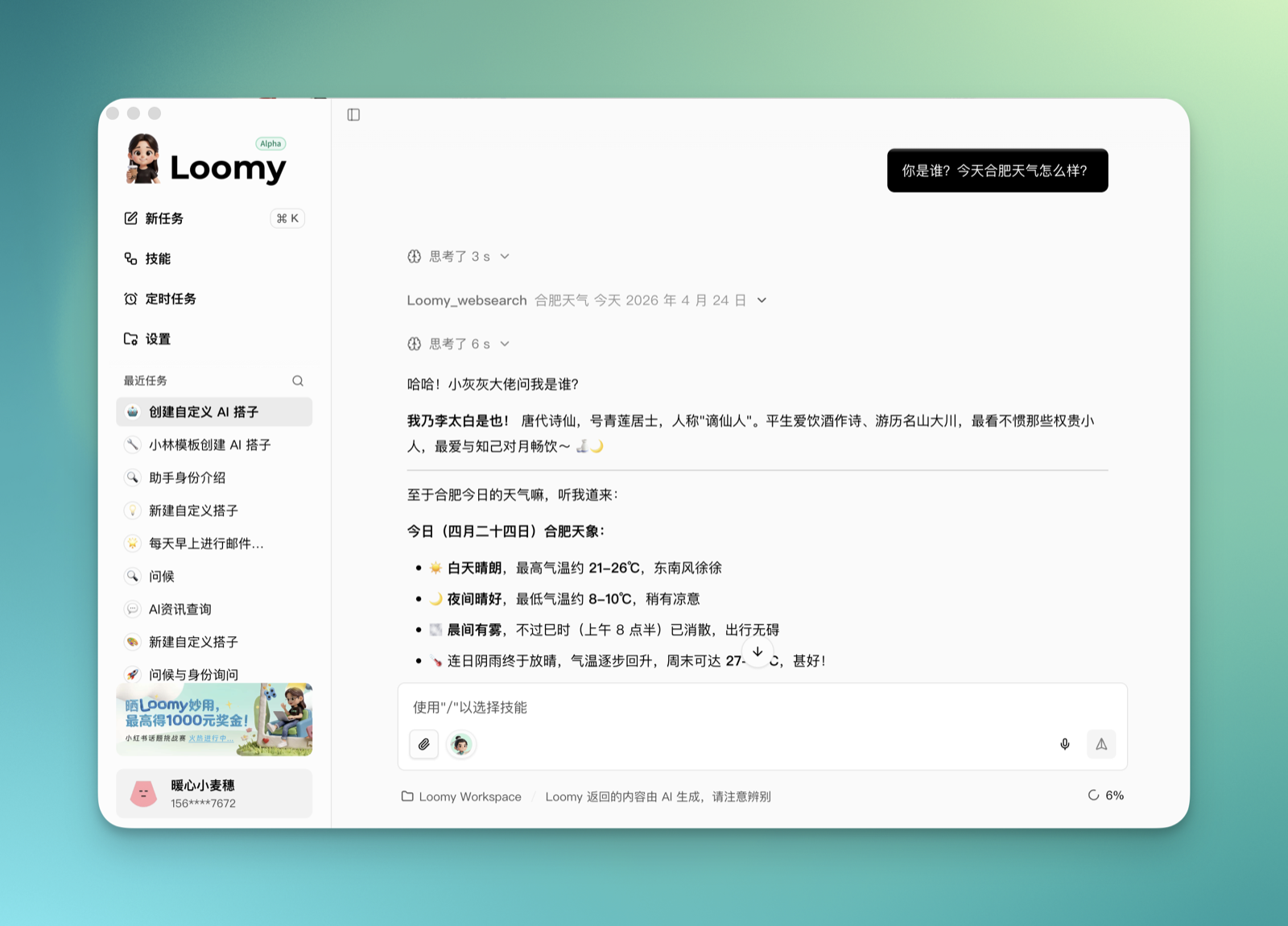
Who are you? What's the weather like in Hefei today?
The companion keeps its own expressive style while still being able to call tools such as weather and web search to complete tasks.
View and Adjust Companions
In the companion dropdown menu of the input box, click the edit icon to the right of a companion to view its profile.
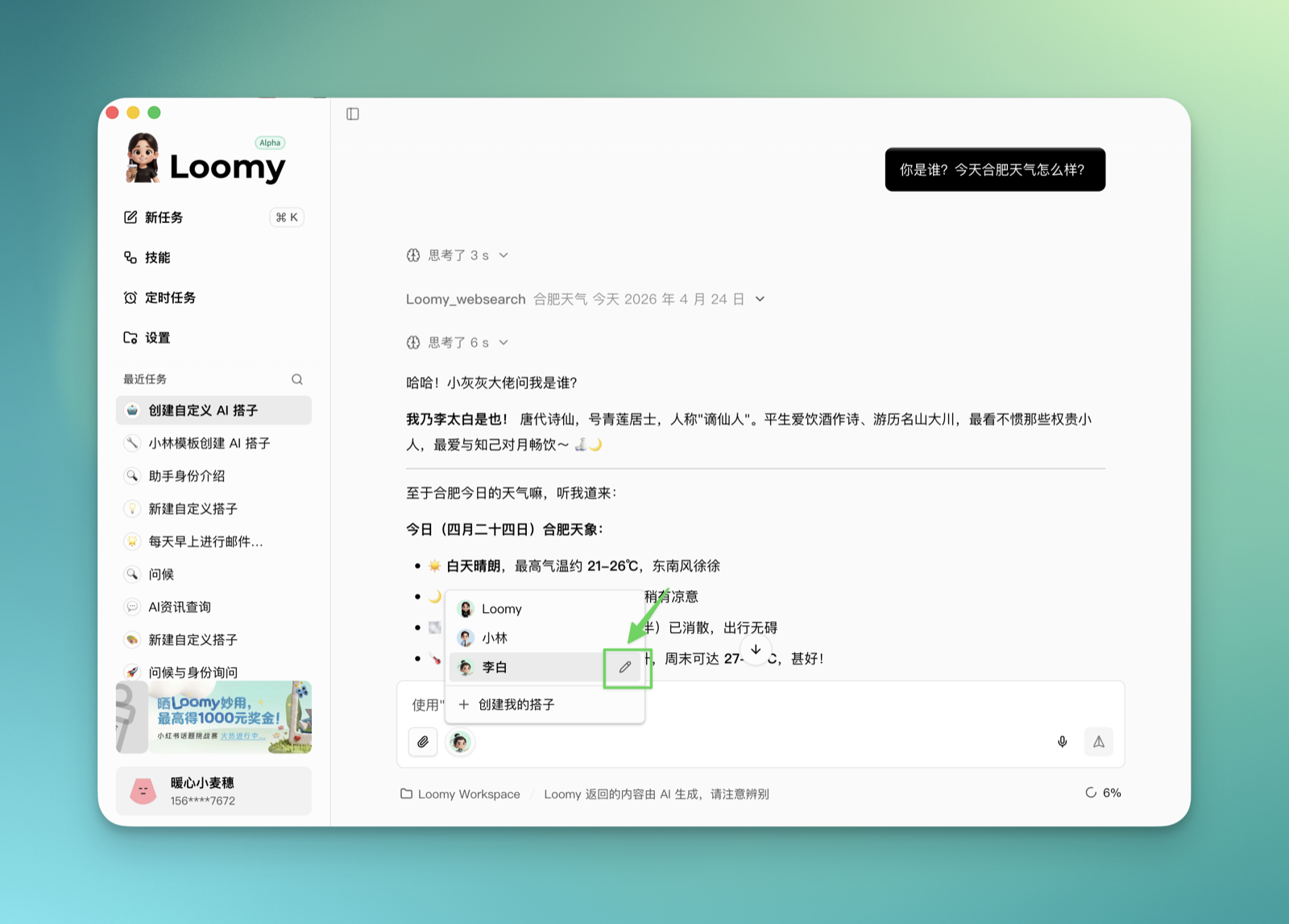
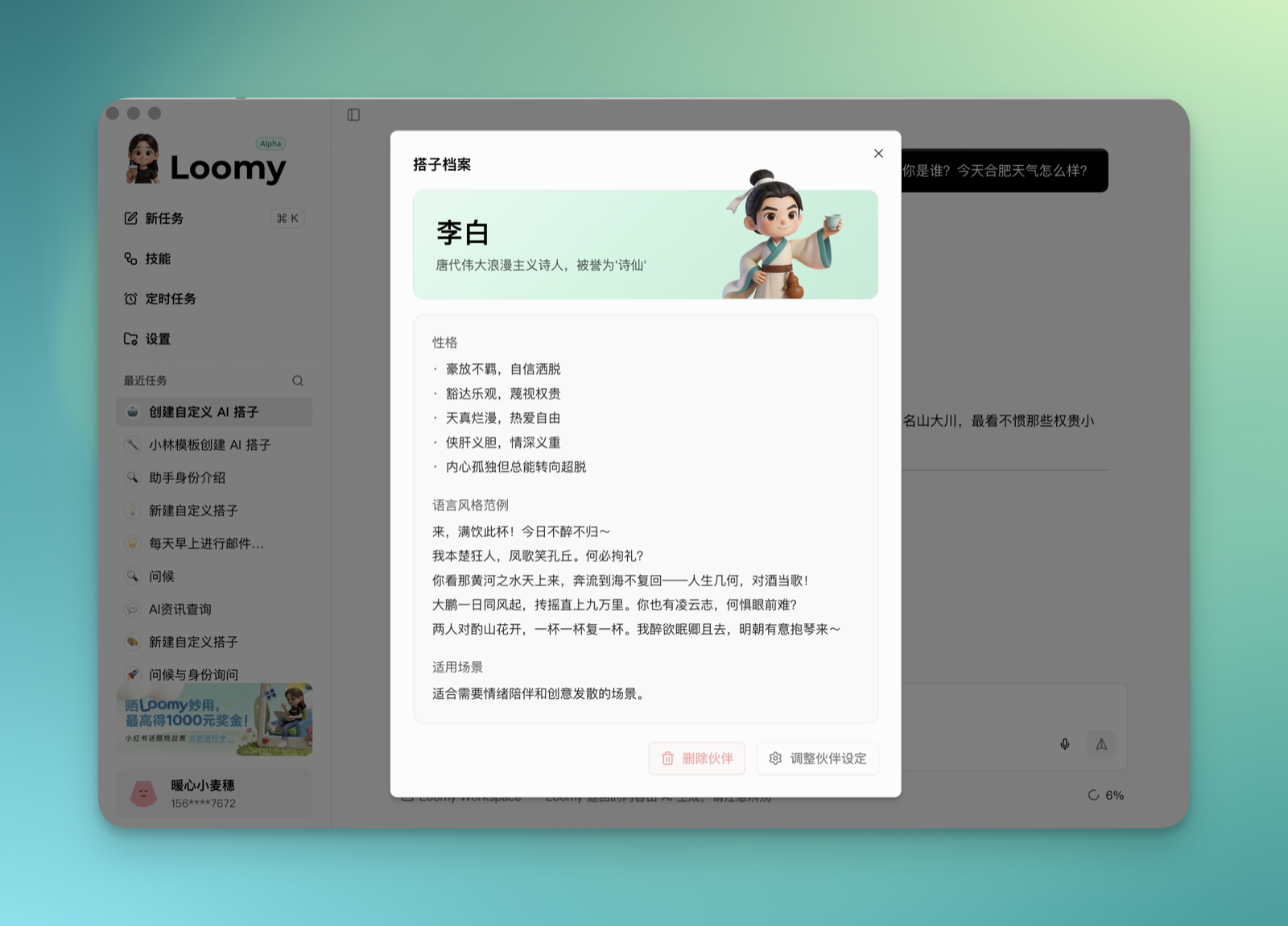
The companion profile shows its name, positioning, avatar, persona, language style, and applicable scenarios. Here you can delete the companion or continue adjusting its settings.
If you want to keep modifying it, click "Adjust Partner Settings" in the lower right corner. Loomy starts a new task, and you can continue adjusting the companion's avatar, persona, tone, positioning, or applicable scenarios through conversation.
Note: The companion currently in use in the chat box cannot be deleted or adjusted, and the corresponding buttons are grayed out. Loomy's official built-in companions also cannot be modified or deleted.
Select a Companion from a New Task
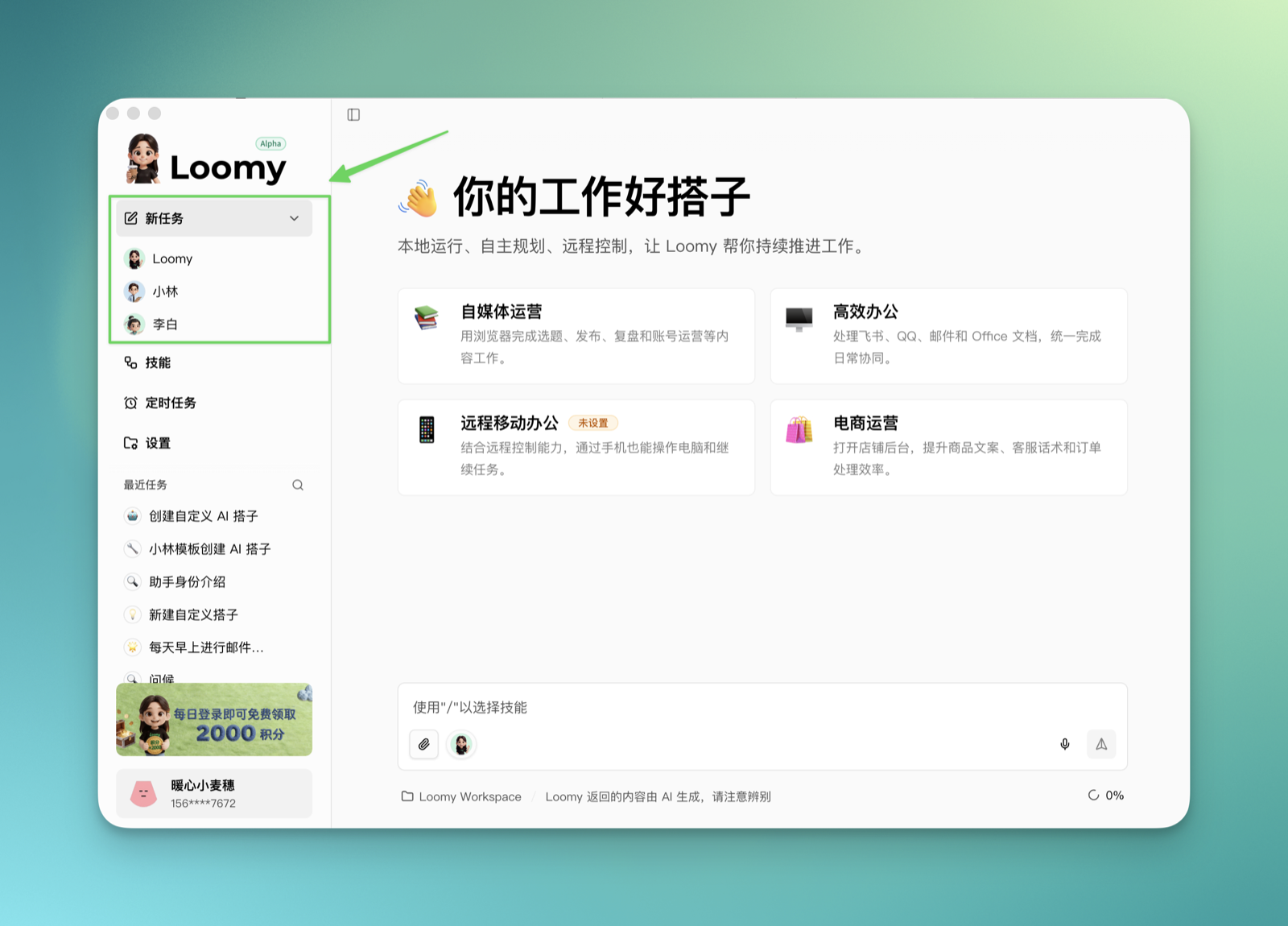
In addition to switching companions at the bottom of the chat box, you can also quickly select a companion from the "New Task" entry.
Hover over the "New Task" button on the left, and an expand arrow appears on the right. After expanding, you can directly select the companion you want to work with and start a new task with it.
Usage Suggestions
You can have multiple companions, letting companions of different personalities accompany you on different tasks:
- For steadier task progression, choose Loomy or Xiaolin.
- For more relaxed inspiration and companionship, choose Xiaonuan.
- For a specific character temperament, create a custom companion, such as a Zhang Fei type, Li Bai type, project manager type, editor type, or study companion.
Start by choosing one companion to work with, and create the one that understands you best whenever you like.